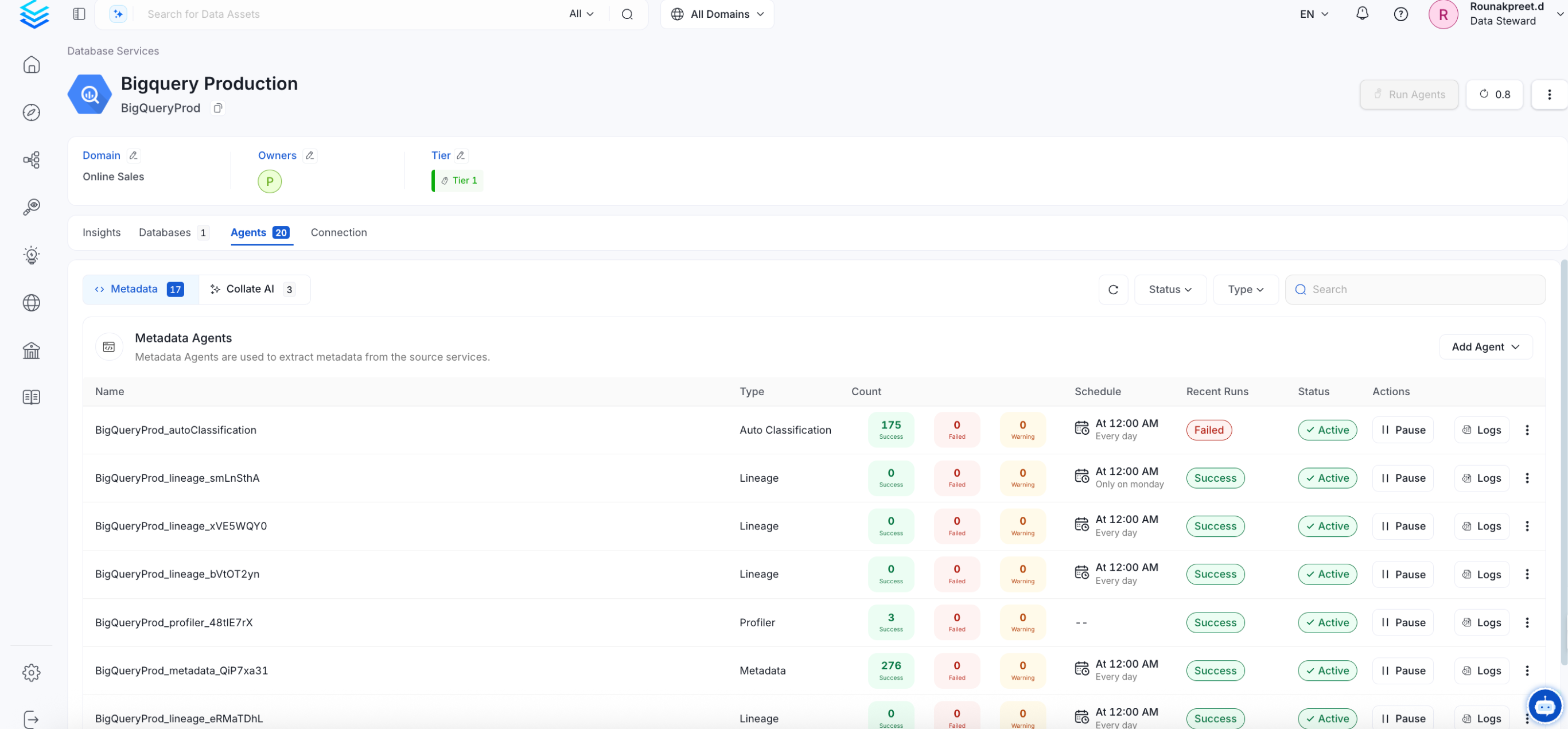
In this section, we provide guides and references to use the OpenLineage connector. Configure and schedule OpenLineage metadata workflows from the OpenMetadata UI:

Requirements

OpenMetadata is integrated with OpenLineage up to version 1.7.0 and will continue to work for future OpenLineage versions. OpenLineage is an open framework for data lineage collection and analysis. At its core is an extensible specification that systems can use to interoperate with lineage metadata. Apart from being a specification, it is also a set of integrations collecting lineage from various systems such as Apache Airflow and Spark.

Openlineage connector events

OpenLineage connector consumes open lineage events from kafka broker and translates it to OpenMetadata Lineage information.
  1. Airflow OpenLineage events

To Configure your Airflow instance
  1. To Configure your Airflow instance install appropriate provider in Airflow
  2. Configure OpenLineage Provider in Airflow
    • Remember to use kafka transport mode here as OL events are collected from kafka topic. Detailed list of configuration options for OpenLineage can be found here
  3. Spark OpenLineage events

    Configure Spark Session to produce OpenLineage events compatible with OpenLineage connector available in OpenMetadata. complete the kafka config using the below code.
    from pyspark.sql import SparkSession
    from uuid import uuid4
    spark = SparkSession.builder\
    .config('spark.openlineage.namespace', 'mynamespace')\
    .config('spark.openlineage.parentJobName', 'hello-world')\
    .config('spark.openlineage.parentRunId', str(uuid4()))\
    .config('spark.jars.packages', 'io.openlineage:openlineage-spark:1.7.0')\
    .config('spark.extraListeners', 'io.openlineage.spark.agent.OpenLineageSparkListener')\
    .config('spark.openlineage.transport.type', 'kafka')\
    .getOrCreate()
    

Metadata Ingestion

Connection Details

1

Test the Connection

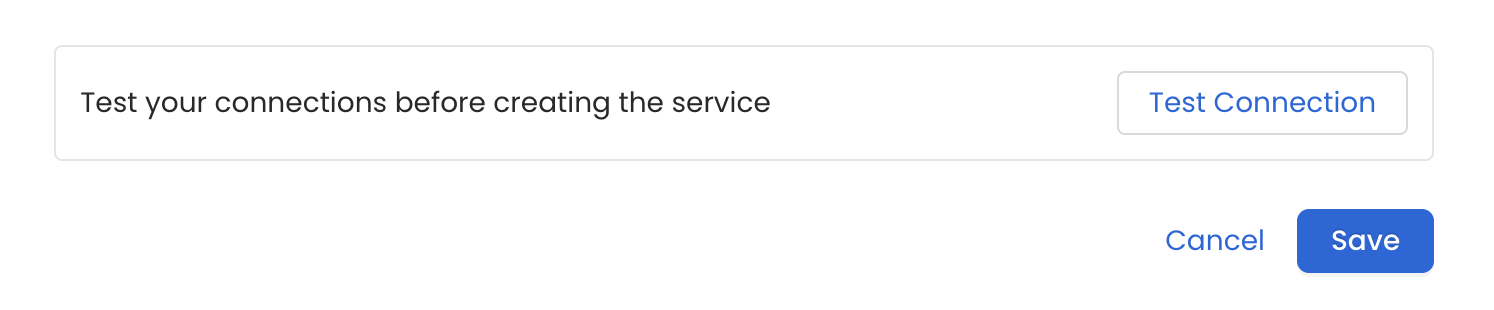
Once the credentials have been added, click on Test Connection and Save the changes.Test Connection
2

Configure Metadata Ingestion

In this step we will configure the metadata ingestion pipeline, Please follow the instructions belowConfigure Metadata Ingestion
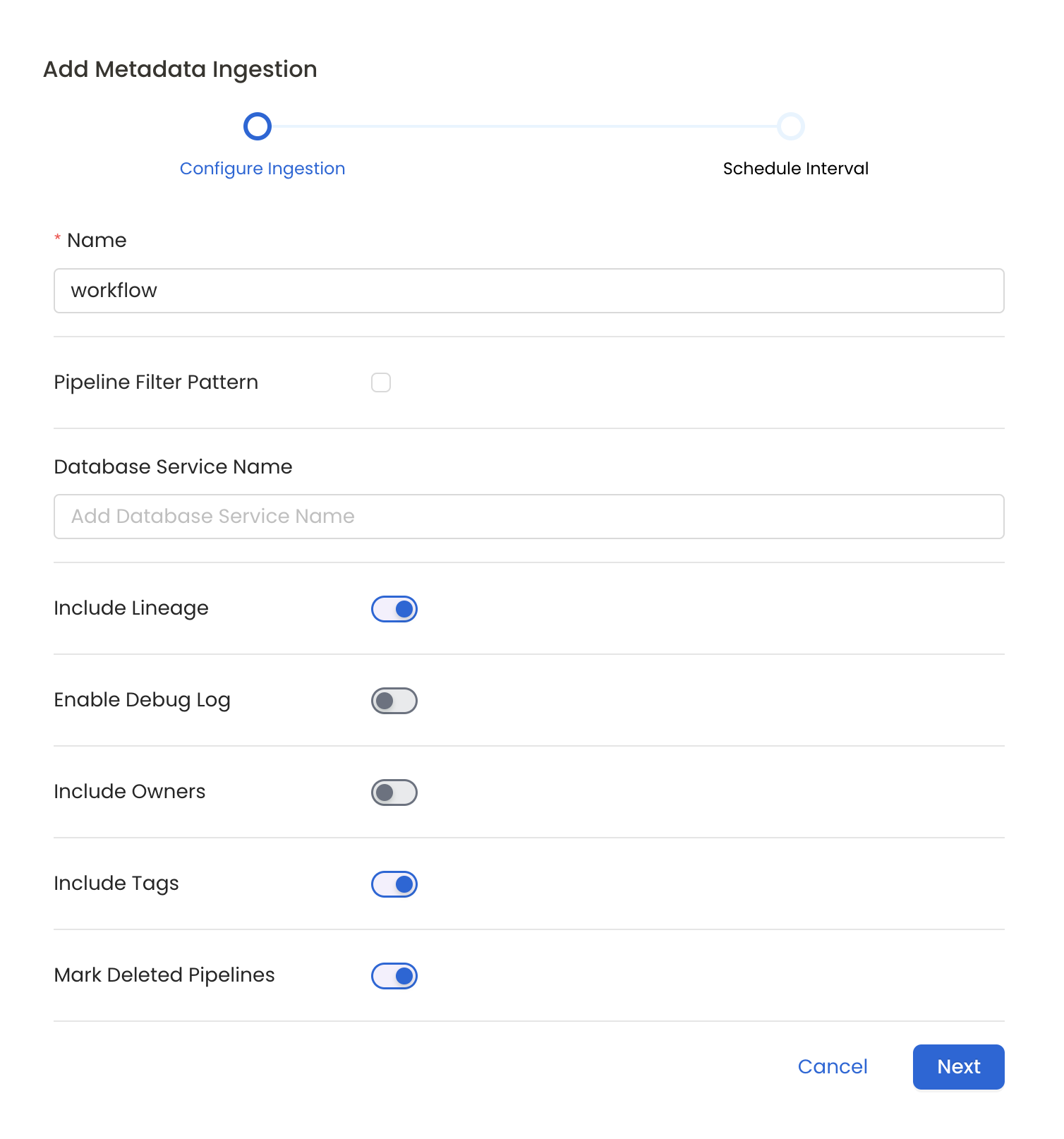
Metadata Ingestion Options

  • Name: This field refers to the name of ingestion pipeline, you can customize the name or use the generated name.
  • Pipeline Filter Pattern (Optional): Use to pipeline filter patterns to control whether or not to include pipeline as part of metadata ingestion.
    • Include: Explicitly include pipeline by adding a list of comma-separated regular expressions to the Include field. OpenMetadata will include all pipeline with names matching one or more of the supplied regular expressions. All other schemas will be excluded.
    • Exclude: Explicitly exclude pipeline by adding a list of comma-separated regular expressions to the Exclude field. OpenMetadata will exclude all pipeline with names matching one or more of the supplied regular expressions. All other schemas will be included.
  • Include lineage (toggle): Set the Include lineage toggle to control whether to include lineage between pipelines and data sources as part of metadata ingestion.
  • Enable Debug Log (toggle): Set the Enable Debug Log toggle to set the default log level to debug.
  • Mark Deleted Pipelines (toggle): Set the Mark Deleted Pipelines toggle to flag pipelines as soft-deleted if they are not present anymore in the source system.
3

Schedule the Ingestion and Deploy

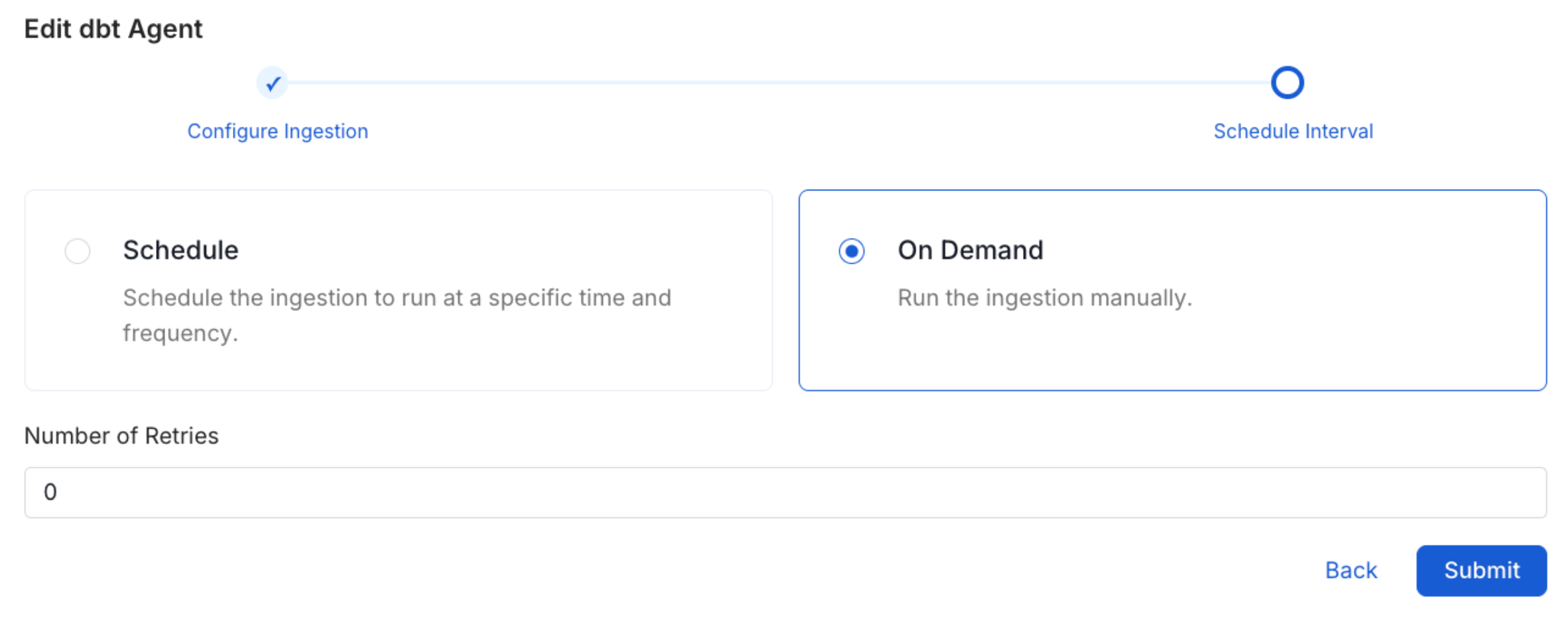
Scheduling can be set up at an hourly, daily, weekly, or manual cadence. The timezone is in UTC. Select a Start Date to schedule for ingestion. It is optional to add an End Date.Review your configuration settings. If they match what you intended, click Deploy to create the service and schedule metadata ingestion.If something doesn’t look right, click the Back button to return to the appropriate step and change the settings as needed.After configuring the workflow, you can click on Deploy to create the pipeline.Schedule the Workflow
4

View the Ingestion Pipeline

Once the workflow has been successfully deployed, you can view the Ingestion Pipeline running from the Service Page.View Ingestion Pipeline
If AutoPilot is enabled, workflows like usage tracking, data lineage, and similar tasks will be handled automatically. Users don’t need to set up or manage them - AutoPilot takes care of everything in the system.
Providing connection details programmatically via API
1. Preparing the Client
from metadata.generated.schema.entity.services.connections.metadata.openMetadataConnection import (
    OpenMetadataConnection,
)
from metadata.generated.schema.security.client.openMetadataJWTClientConfig import (
    OpenMetadataJWTClientConfig,
)
from metadata.ingestion.ometa.ometa_api import OpenMetadata
server_config = OpenMetadataConnection(
    hostPort="http://localhost:8585/api",
    authProvider="openmetadata",
    securityConfig=OpenMetadataJWTClientConfig(
        jwtToken="<token>"
    ),
)
metadata = OpenMetadata(server_config)
assert metadata.health_check()  # Will fail if we cannot reach the server
2. Creating the OpenLineage Pipeline service
from metadata.generated.schema.api.services.createPipelineService import  CreatePipelineServiceRequest
from metadata.generated.schema.entity.services.pipelineService import (
    PipelineServiceType,
    PipelineConnection,
)
from metadata.generated.schema.entity.services.connections.pipeline.openLineageConnection import (
    OpenLineageConnection,
    SecurityProtocol as KafkaSecurityProtocol,
    ConsumerOffsets
)
from metadata.generated.schema.security.ssl.validateSSLClientConfig import (
    ValidateSslClientConfig,
)
openlineage_service_request = CreatePipelineServiceRequest(
    name='openlineage-service',
    displayName='OpenLineage Service',
    serviceType=PipelineServiceType.OpenLineage,
    connection=PipelineConnection(
        config=OpenLineageConnection(
            brokersUrl='broker1:9092,broker2:9092',
            topicName='openlineage-events',
            consumerGroupName='openmetadata-consumer',
            consumerOffsets=ConsumerOffsets.earliest,
            poolTimeout=3.0,
            sessionTimeout=60,
            securityProtocol=KafkaSecurityProtocol.SSL,
            # below ssl confing in optional and used only when securityProtocol=KafkaSecurityProtocol.SSL
            sslConfig=ValidateSslClientConfig(
                sslCertificate='/path/to/kafka/certs/Certificate.pem',
                sslKey='/path/to/kafka/certs/Key.pem',
                caCertificate='/path/to/kafka/certs/RootCA.pem'
                )
        )
    ),
)
metadata.create_or_update(openlineage_service_request)
1. Preparing the Client
from metadata.generated.schema.entity.services.connections.metadata.openMetadataConnection import (
    OpenMetadataConnection,
)
from metadata.generated.schema.security.client.openMetadataJWTClientConfig import (
    OpenMetadataJWTClientConfig,
)
from metadata.ingestion.ometa.ometa_api import OpenMetadata
server_config = OpenMetadataConnection(
    hostPort="http://localhost:8585/api",
    authProvider="openmetadata",
    securityConfig=OpenMetadataJWTClientConfig(
        jwtToken="<token>"
    ),
)
metadata = OpenMetadata(server_config)
assert metadata.health_check()  # Will fail if we cannot reach the server
2. Creating the OpenLineage Pipeline service
from metadata.generated.schema.api.services.createPipelineService import  CreatePipelineServiceRequest
from metadata.generated.schema.entity.services.pipelineService import (
    PipelineServiceType,
    PipelineConnection,
)
from metadata.generated.schema.entity.services.connections.pipeline.openLineageConnection import (
    OpenLineageConnection,
    SecurityProtocol as KafkaSecurityProtocol,
    ConsumerOffsets
)
from metadata.generated.schema.security.ssl.validateSSLClientConfig import (
    ValidateSslClientConfig,
)
openlineage_service_request = CreatePipelineServiceRequest(
    name='openlineage-service',
    displayName='OpenLineage Service',
    serviceType=PipelineServiceType.OpenLineage,
    connection=PipelineConnection(
        config=OpenLineageConnection(
            brokersUrl='broker1:9092,broker2:9092',
            topicName='openlineage-events',
            consumerGroupName='openmetadata-consumer',
            consumerOffsets=ConsumerOffsets.earliest,
            poolTimeout=3.0,
            sessionTimeout=60,
            securityProtocol=KafkaSecurityProtocol.SSL,
            # below ssl confing in optional and used only when securityProtocol=KafkaSecurityProtocol.SSL
            sslConfig=ValidateSslClientConfig(
                sslCertificate='/path/to/kafka/certs/Certificate.pem',
                sslKey='/path/to/kafka/certs/Key.pem',
                caCertificate='/path/to/kafka/certs/RootCA.pem'
                )
        )
    ),
)
metadata.create_or_update(openlineage_service_request)
1. Preparing the Client
from metadata.generated.schema.entity.services.connections.metadata.openMetadataConnection import (
    OpenMetadataConnection,
)
from metadata.generated.schema.security.client.openMetadataJWTClientConfig import (
    OpenMetadataJWTClientConfig,
)
from metadata.ingestion.ometa.ometa_api import OpenMetadata
server_config = OpenMetadataConnection(
    hostPort="http://localhost:8585/api",
    authProvider="openmetadata",
    securityConfig=OpenMetadataJWTClientConfig(
        jwtToken="<token>"
    ),
)
metadata = OpenMetadata(server_config)
assert metadata.health_check()  # Will fail if we cannot reach the server
2. Creating the OpenLineage Pipeline service
from metadata.generated.schema.api.services.createPipelineService import  CreatePipelineServiceRequest
from metadata.generated.schema.entity.services.pipelineService import (
    PipelineServiceType,
    PipelineConnection,
)
from metadata.generated.schema.entity.services.connections.pipeline.openLineageConnection import (
    OpenLineageConnection,
    SecurityProtocol as KafkaSecurityProtocol,
    ConsumerOffsets
)
openlineage_service_request = CreatePipelineServiceRequest(
    name='openlineage-service',
    displayName='OpenLineage Service',
    serviceType=PipelineServiceType.OpenLineage,
    connection=PipelineConnection(
        config=OpenLineageConnection(
            brokersUrl='broker1:9092,broker2:9092',
            topicName='openlineage-events',
            consumerGroupName='openmetadata-consumer',
            consumerOffsets=ConsumerOffsets.earliest,
            poolTimeout=3.0,
            sessionTimeout=60,
            securityProtocol=KafkaSecurityProtocol.SSL,
            # below ssl confing in optional and used only when securityProtocol=KafkaSecurityProtocol.SSL
            sslConfig=ValidateSslClientConfig(
                sslCertificate='/path/to/kafka/certs/Certificate.pem',
                sslKey='/path/to/kafka/certs/Key.pem',
                caCertificate='/path/to/kafka/certs/RootCA.pem'
                )
        )
    ),
)
metadata.create_or_update(openlineage_service_request)